


Adnova vs. Lens by Foreplay: Which One Is a Better Creative Analytics Platform?


.png)
If you've spent any time evaluating creative analytics tools for paid social, you've almost certainly come across both Adnova and Foreplay's Lens. Both promise to turn raw Meta ad data into insights your creative team can actually act on. Both are popular with DTC brands and agencies. And both are loved by people who care about creative performance, not just media buying.
But once you get past the marketing pages, the two tools start diverging in ways that matter - pricing, the depth of reporting, how teams collaborate, and how you scale across multiple ad accounts.
This post breaks down the practical differences so you can decide which one fits your team. We've based everything here on publicly available information from both companies' websites and pricing pages.
What is Adnova?
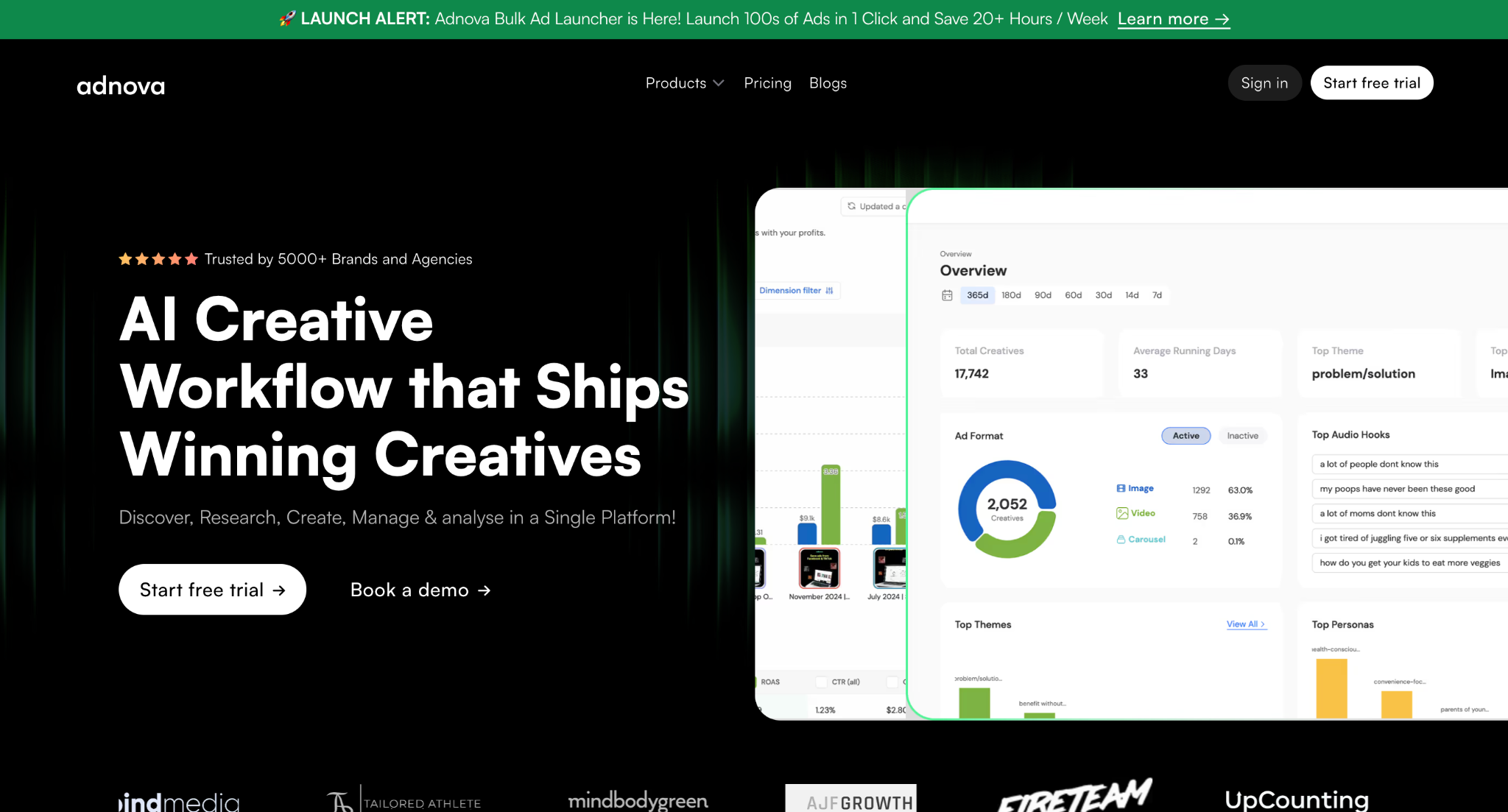
Adnova is an AI-powered creative workflow platform built for performance marketing teams. Where most analytics tools stop at dashboards, Adnova covers the full creative lifecycle: inspiration research, competitor tracking via its Detective module, creative analytics with custom reports, an asset review hub, ad templates, and a Bulk Ad Launcher that lets teams push 100+ Meta ads live in a single click.
The analytics product is what concerns us here. It's designed to show your own ad account performance through a creative lens -top-performing reports, comparative analysis between elements like hooks, ad angles, and more, period-over-period reporting, and a Compass report that tracks recently launched ads and their live status.
What is Foreplay Lens?
Foreplay started as one of the most popular ad inspiration and swipe file tools on the market. Lens is their creative analytics product - the analytics-and-reporting layer of the broader Foreplay suite, which also includes Swipe File, Discovery, Spyder (competitor tracking), and Briefs.
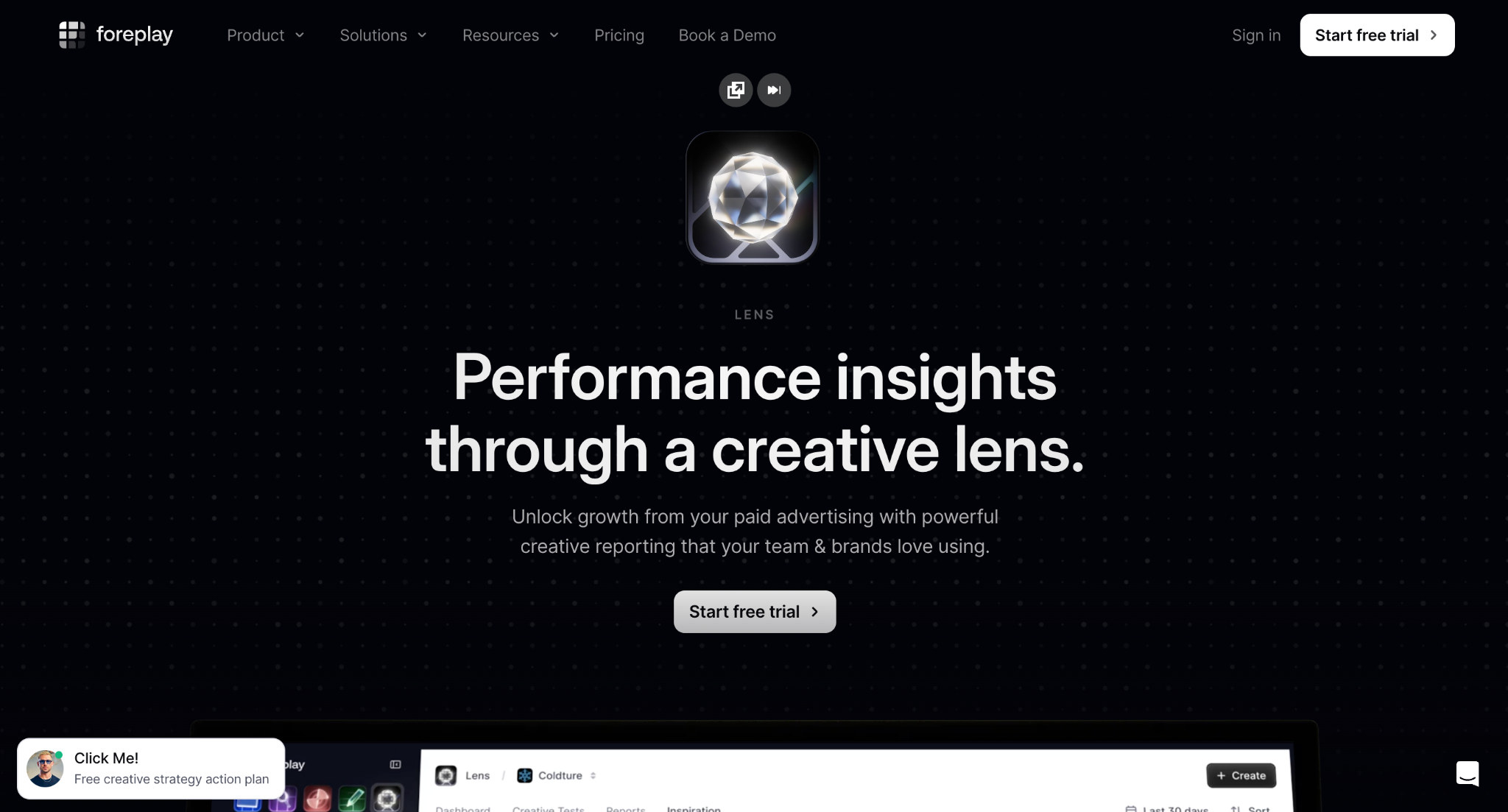
Lens connects to your Meta ad account and turns the data into shareable creative reports - top performers, group comparisons, trend analysis, and white-labeled client reports. One of its more distinctive features is industry benchmarking: you can compare your KPIs against 20,000+ other advertisers segmented by category, GMV, AOV, and other dimensions. That benchmarking is powered by aggregated data across Lens's user base, which is a different design choice than Adnova's account-only approach.
Reports
This is where the two tools start to look genuinely different.
Adnova's creative analytics includes four core report types: top-performing reports (the standard "what's winning" view), comparative analysis reports (compare any segment against any other - creators, formats, hooks, time periods), Compass reports (a live tracker of recently launched ads with their current status), and period-over-period reporting (compare this month vs. last month, this quarter vs. last quarter, with everything that changed surfaced automatically). Adnova also exceptionally stands out with its first-party data connection with tools like Northbeam.
Foreplay Lens offers top-performing reports, comparison reports, creative testing dashboards, group comparisons, and trend analysis. According to the publicly listed feature comparison on Foreplay's pricing page, comparison reports are unlimited on the Workflow plan and above.
Where Lens currently doesn't appear to have a direct equivalent is in the Compass-style "recently launched ads" tracker and explicit period-over-period reporting as standalone report types. If your team relies heavily on "what changed since last month" or "show me everything we launched in the last 14 days and how it's pacing," Adnova's reports map more directly onto those workflows.
Data Reliability
Data discrepancy is the kind of thing that quietly destroys trust in an analytics tool, once your numbers don't match what's in Ads Manager, every other insight gets second-guessed.
Adnova has built its analytics on a direct integration with the Meta API and prioritizes accuracy as a core design principle. Because Adnova uses your account data only to populate your own dashboard (rather than blending it with aggregated benchmarking data), the pipeline is straightforward: numbers in your Adnova reports should match what you see in Ads Manager.
This is one of the more frequently raised concerns we've heard from Foreplay Lens users, that figures occasionally don't reconcile with Ads Manager. We can't independently verify how widespread this is, and Foreplay does offer a 7-day free trial that lets any team check this for themselves before committing.
If you're running a serious paid program, we'd recommend connecting both tools to a test account during your trial and comparing the numbers against Ads Manager directly. It's the only honest way to know.
Shareability
Both tools handle this well.
Adnova lets you generate shareable links for any report and send them to clients, stakeholders, or anyone outside your platform login.
Lens does the same and adds password protection on share links, IP tracking on viewers, and white-labeled external share pages -which is genuinely useful for agencies sending reports to multiple clients.
If shareable reports are your main use case, both tools cover the basics. Lens's password and IP-tracking layer is a nice extra for agencies handling sensitive client data.
Team Collaboration
This is where Adnova's broader workflow positioning comes through.
Because Adnova was built as a creative workflow tool, not just an analytics dashboard, collaboration is treated as a first-class feature. You get fine-grained access control across multiple levels: organization, workspace, product, and role. An agency can give a junior strategist view-only access to one client workspace, give the creative director full edit access to three, and give the finance lead access only to billing - all without paying for separate seats or hacking around permissions.
Adnova's plans include multiple workspaces by default: 5 workspaces and 5 users on Plus, 10 workspaces and 8 users on Growth, and 25 workspaces and 10 users on Pro.
Foreplay Lens supports team access too - Workflow includes 5 users and Agency includes 10 users, with $20/month per additional user, but the granular org → workspace → product → role access model is a structural advantage for Adnova, especially for agencies juggling many clients with different access requirements.
Inspiration and Brand Tracking
Both tools have strong roots in ad inspiration, it's where each company started before adding analytics.
Foreplay's Discovery library has 100M+ ads searchable across Meta, TikTok, LinkedIn, and YouTube Shorts. Spyder, their competitor tracking product, monitors brands you choose 24/7 and surfaces their creative tests, hooks, and timeline view.
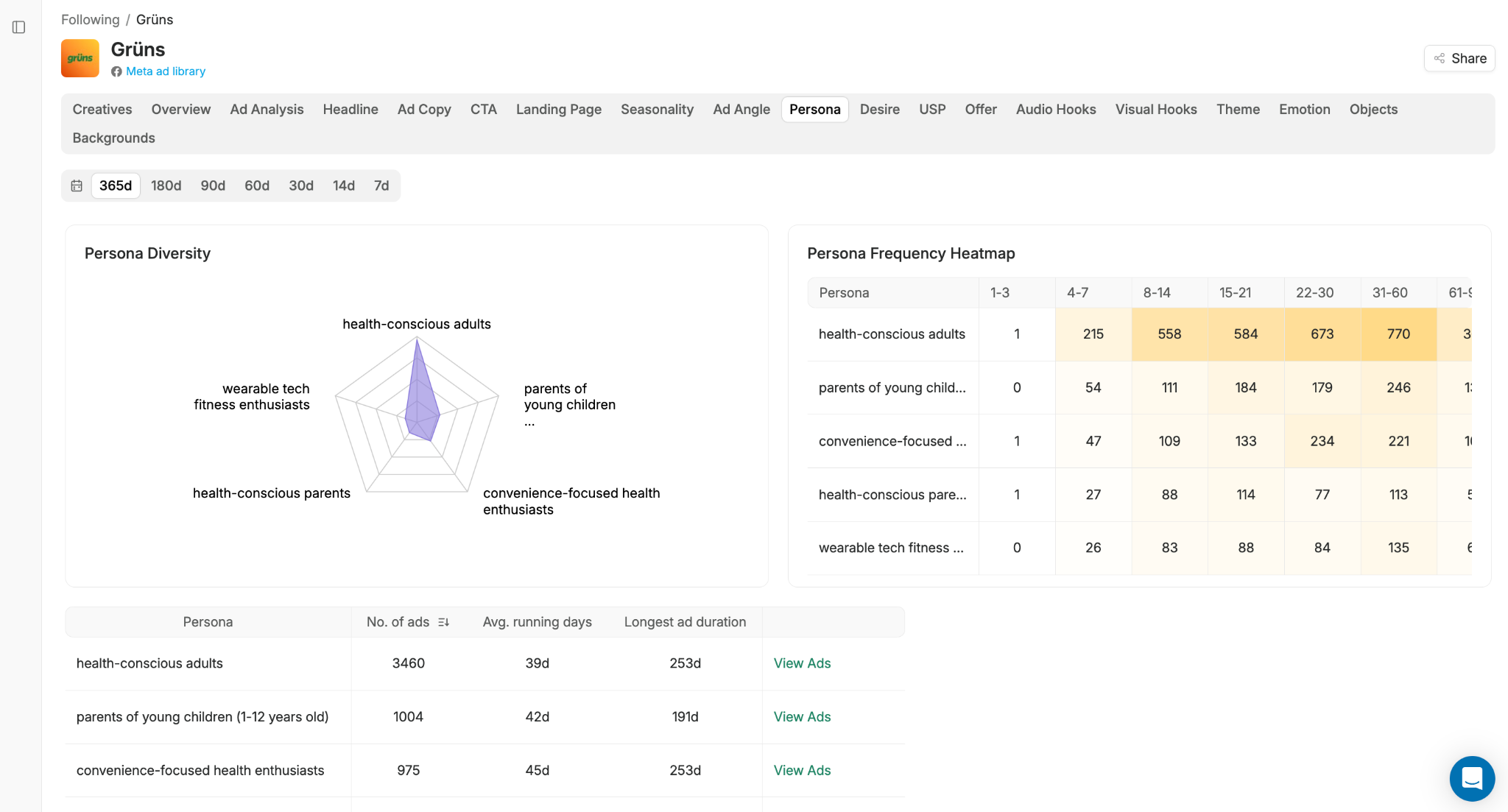
Adnova's competitor tracking, called Detective, takes a different approach. Instead of just showing you what your competitors are running, it breaks each brand down across multiple analytical dimensions: ad angles, persona analysis, USP analysis, audio hooks, visual hooks, headline analysis, ad copy analysis, landing page analysis, themes analysis, scripting analysis (tone and emotion), and even objects/background analysis on creatives. You also get media mix breakdowns, demographic analysis, and weekly reports on competitor strategy shifts.
If your work involves understanding why competitors' ads work, not just what they're running, Detective gives you a structurally deeper read.
Support Team
Adnova offers 24/7 human live chat support, email support at support@tryadnova.ai, and a dedicated Slack channel for customers (typically on higher-tier plans). For most teams, this means problems get solved in minutes rather than waiting until business hours.
Foreplay offers live chat support Monday to Friday from 9:00 AM to 5:00 PM EST, plus email at hello@foreplay.co. Their pricing FAQ confirms support is available during the trial as well. Enterprise customers get priority in-app or Slack support.
Both teams are responsive within their stated hours. The difference is real-time availability: if your campaigns are running 24/7, which they are, Adnova's around-the-clock support reaches you when issues actually happen.
Pricing
This is where the gap is most concrete, so let's just put the published numbers side by side.
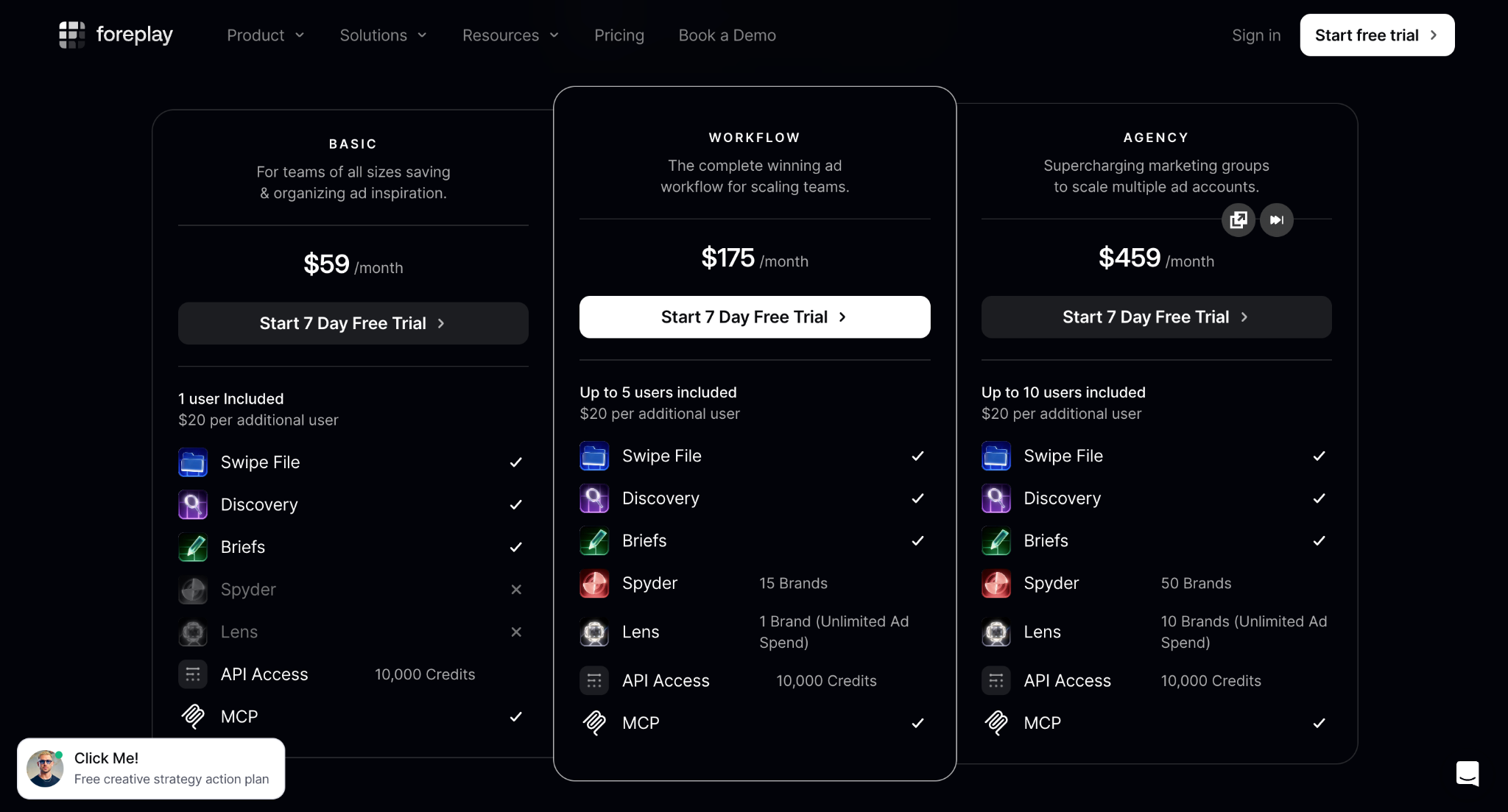
Foreplay Lens (monthly billing, from foreplay.co/pricing):
- Workflow - $175/month: Lens for 1 Brand with unlimited ad spend; 5 users included; additional brands $50/month each
- Agency - $459/month: Lens for 10 Brands with unlimited ad spend; 10 users included
- Enterprise: Custom pricing
So a team that needs Lens connected to 2 brands on the Workflow plan would pay $175 + $50 = $225/month. A team needing more than that typically jumps to Agency at $459/month.
Adnova (monthly billing, from adnova.ai/pricing):
- Plus - $150/month: 5 ad accounts, 5 workspaces, 5 users, $250K monthly ad spend cap
- Growth - $309/month: 10 ad accounts, 10 workspaces, 8 users, $750K monthly ad spend cap
- Pro - $499/month: 25 ad accounts, 25 workspaces, 10 users, $1.5M monthly ad spend cap
- Enterprise: Custom
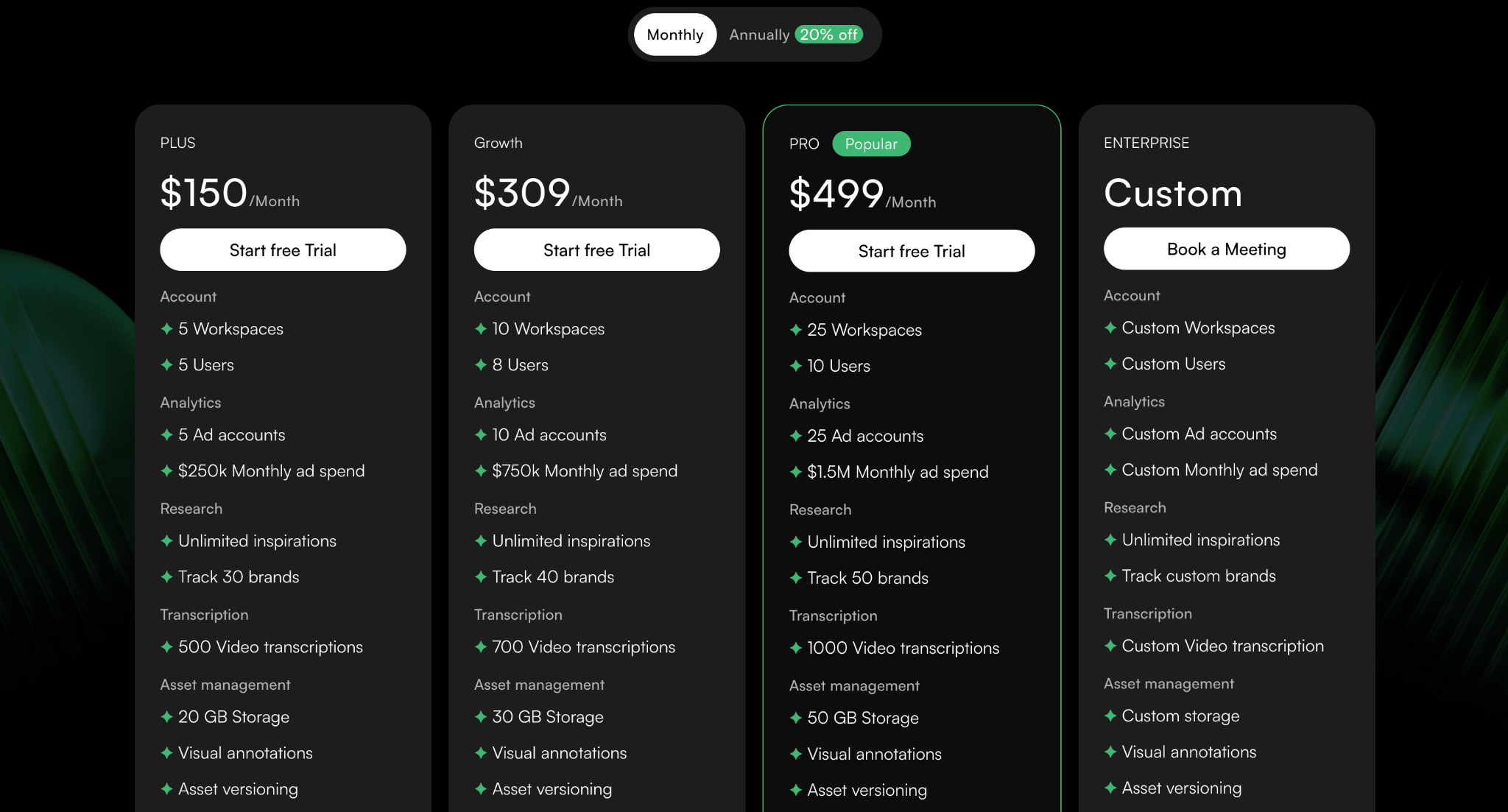
The headline takeaway is simple: at the entry point, Adnova's $150/month plan includes 5 ad accounts, while Foreplay's $175/month plan includes 1 brand. For teams managing multiple ad accounts, which is most agencies and many in-house teams running multiple business units, the per-account economics are meaningfully different.
What Should You Choose?
Choose Adnova if any of these matter:
- Pricing. The Plus plan at $150/month with 5 ad accounts is structurally cheaper for any team running more than one account. If you're an agency with 5 clients, you'd be on Adnova's Plus plan; on Foreplay, you'd need Agency at $459/month.
- Data reliability. Because Adnova's analytics are built solely to power your dashboard (not blended with benchmarking aggregations), the data pipeline is straightforward and designed for accuracy against Ads Manager.
- Team collaboration. Fine-grained access control at organization, workspace, product, and role levels is a real structural advantage for agencies and in-house teams managing multiple brands or business units.
- Reporting depth. Period-over-period reports and the Compass "what we just launched and how it's pacing" view aren't easily replicated in Lens.
- Competitor depth. Detective's structured breakdowns - persona, USP, hooks, themes, scripting, ad copy, landing page - go further than feed-style competitor tracking.
- Around-the-clock support. 24/7 live chat plus a dedicated Slack channel matters when something breaks at 9 PM on a Friday.
For most growing brands and agencies, especially anyone managing more than one ad account, Adnova ends up being the smarter choice on pricing, data reliability, and collaboration alone, with the reporting depth and competitor analysis as meaningful bonuses.
Try It Yourself
The honest truth about analytics tools is that you won't know which one fits your team until you connect a real ad account and pull a real report. Both tools offer free trials, so the cost of finding out is just an hour of your time.
If you'd like to see how Adnova handles your data, your reports, and your team's workflow:
Or, if you'd prefer a guided walkthrough with the team, especially if you're evaluating Adnova for an agency or a multi-brand setup:
Book a call with the Adnova team
Either way, take it for a spin against your real numbers. That's the only comparison that matters.